Mazzaroth

The sky over any place and any time in history, and the appointed times written in it. A free app for your Mac that works fully offline.

⬇ Download for Mac

Version 0.1.0 · 24 Oct 2026 · 6.4MB · macOS 11 or later · Apple Silicon (M1 and later) · or use it in your browser

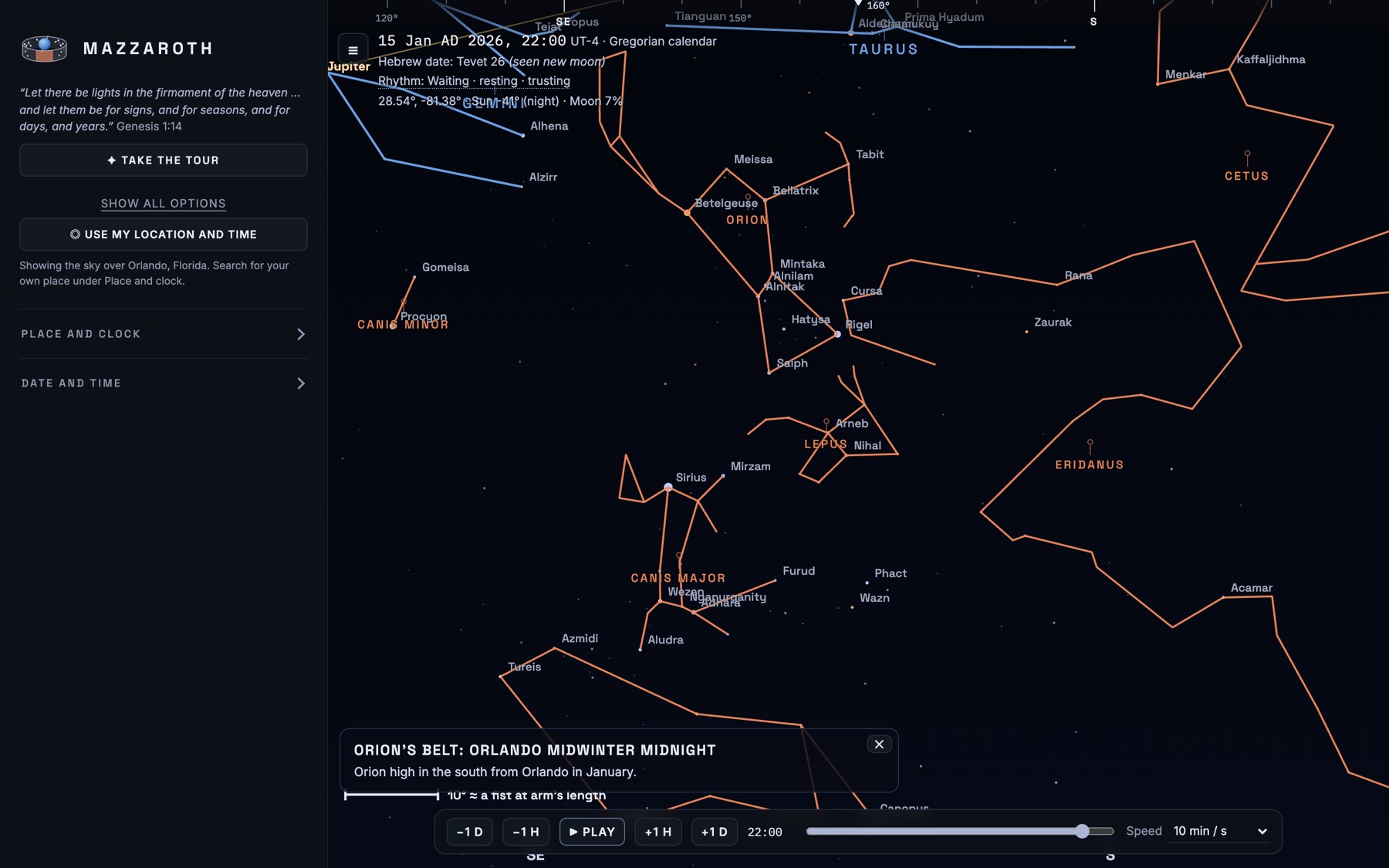
Mazzaroth showing Orion and its neighbours from Orlando at midwinter midnight, with constellation figures and star names

Four ways to see the same sky

Look around as if you were standing there, spread the whole dome out flat, watch the year turn from above, or wrap the band of the signs around the Earth. Stars are real catalogue positions, moved to where they stood on the date you choose.

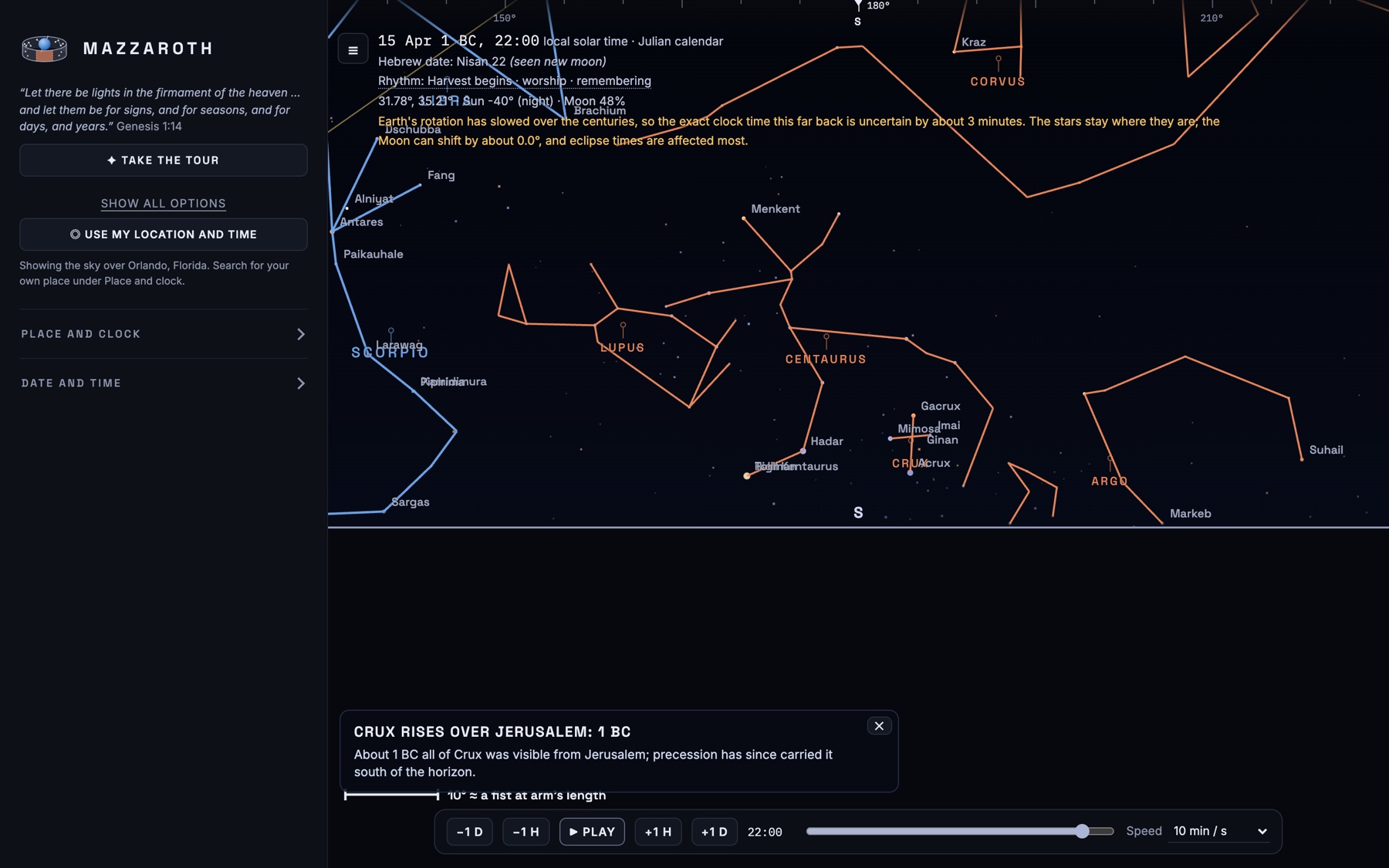
The whole sky as a dome over Jerusalem in 1 BC, with constellation figures
Dome. The whole sky at once, here over Jerusalem in 1 BC.
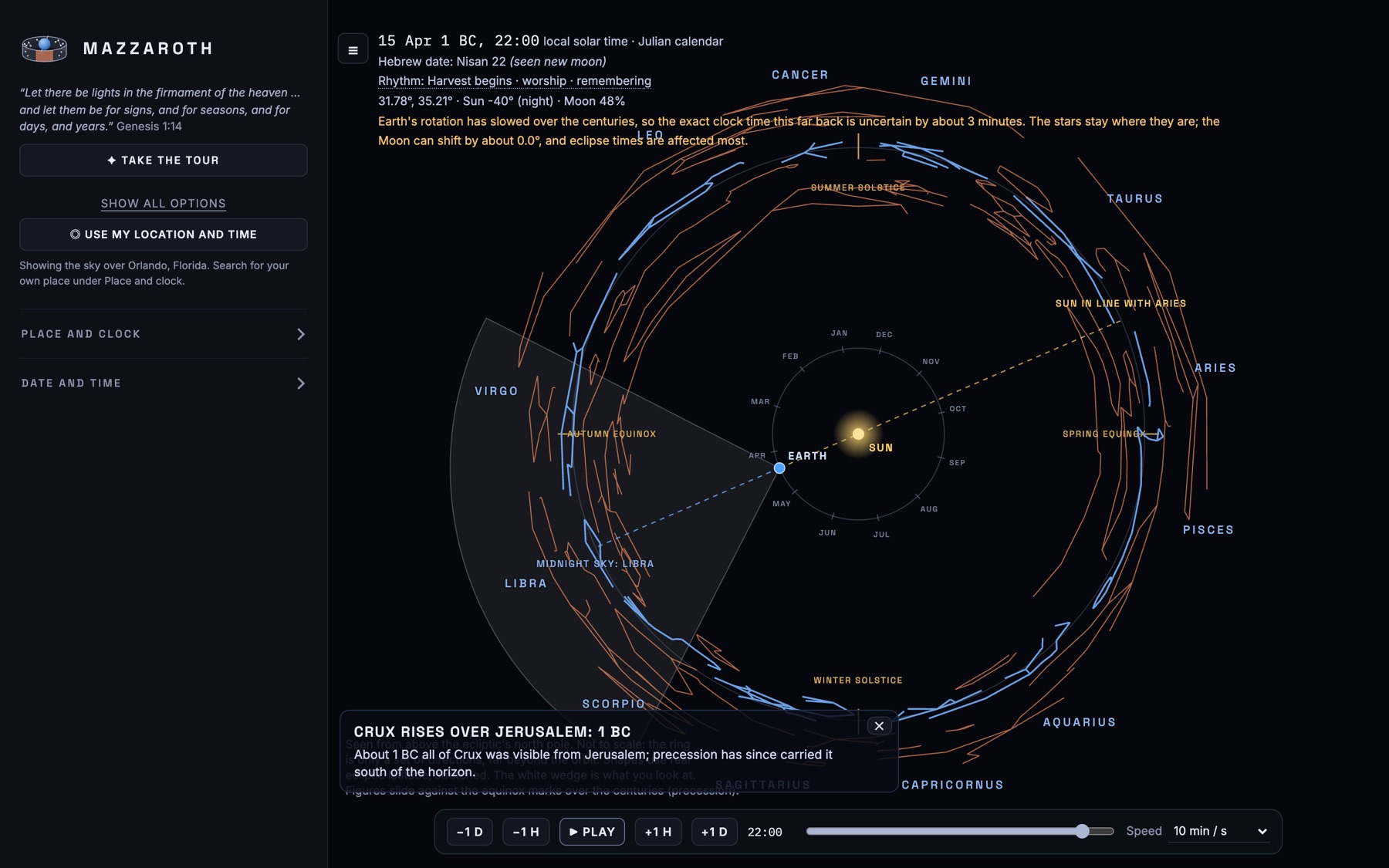
Orbit view: the Earth circling the Sun against the twelve signs
Orbit. The year from above, with the Sun's line through the signs.
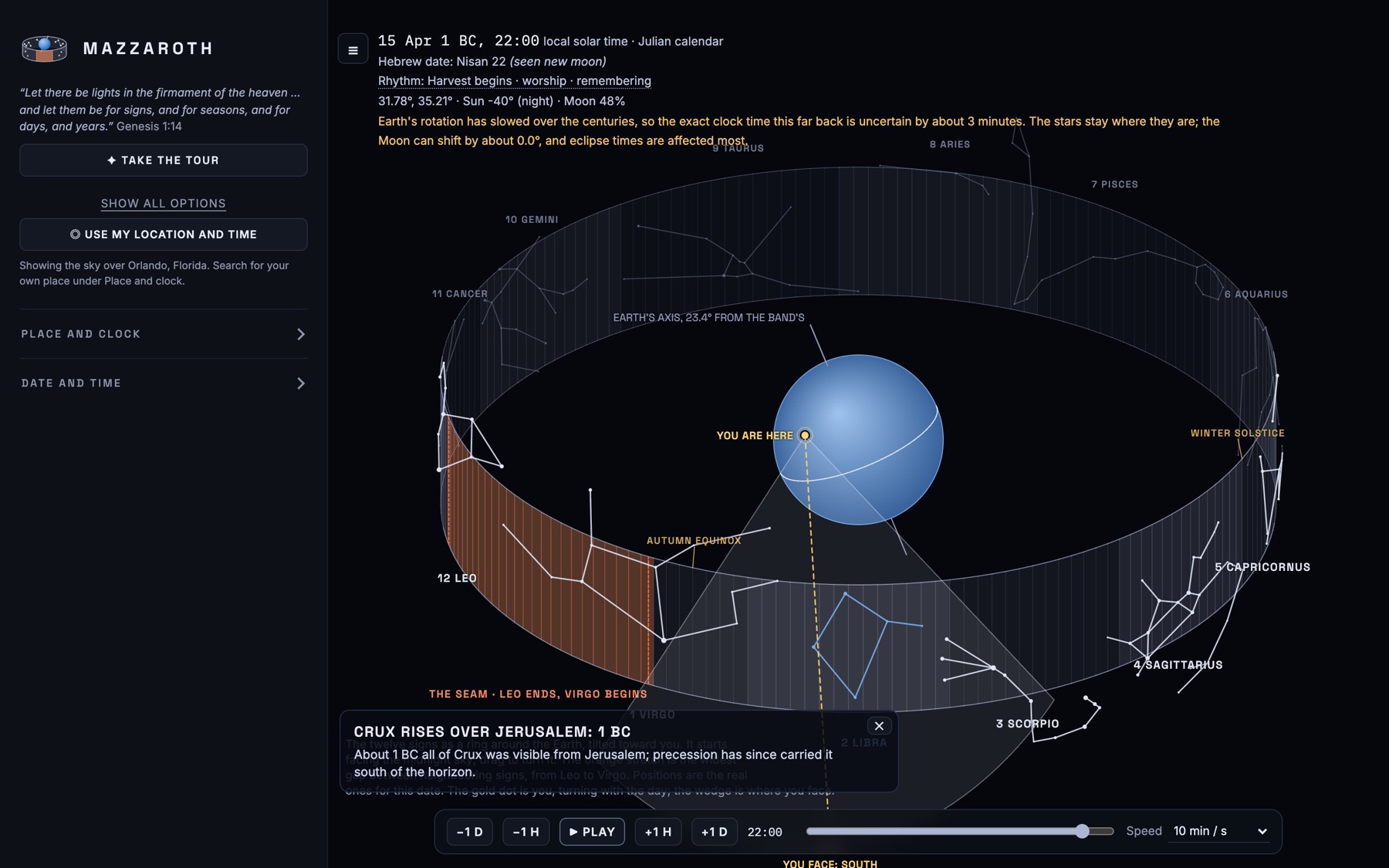
Ring view: the band of the zodiac wrapped around the Earth
Ring. The band of the signs around the Earth, the seam between Leo and Virgo marked.
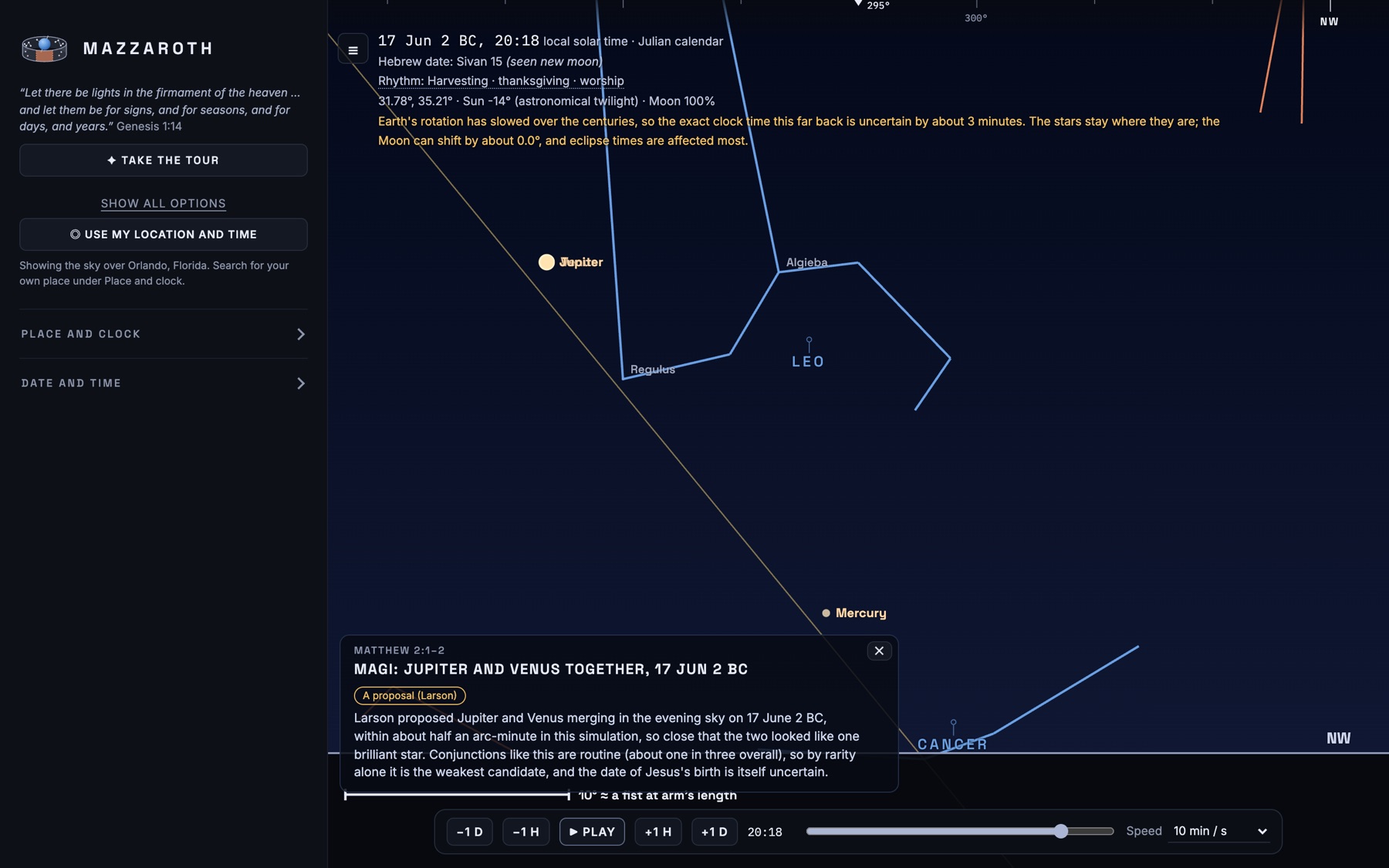
Jupiter and Venus close together in the evening sky of 17 June 2 BC
Camera. Look around from anywhere, here Jupiter and Venus together on 17 June 2 BC.

Virgo to Leo, one night at a time

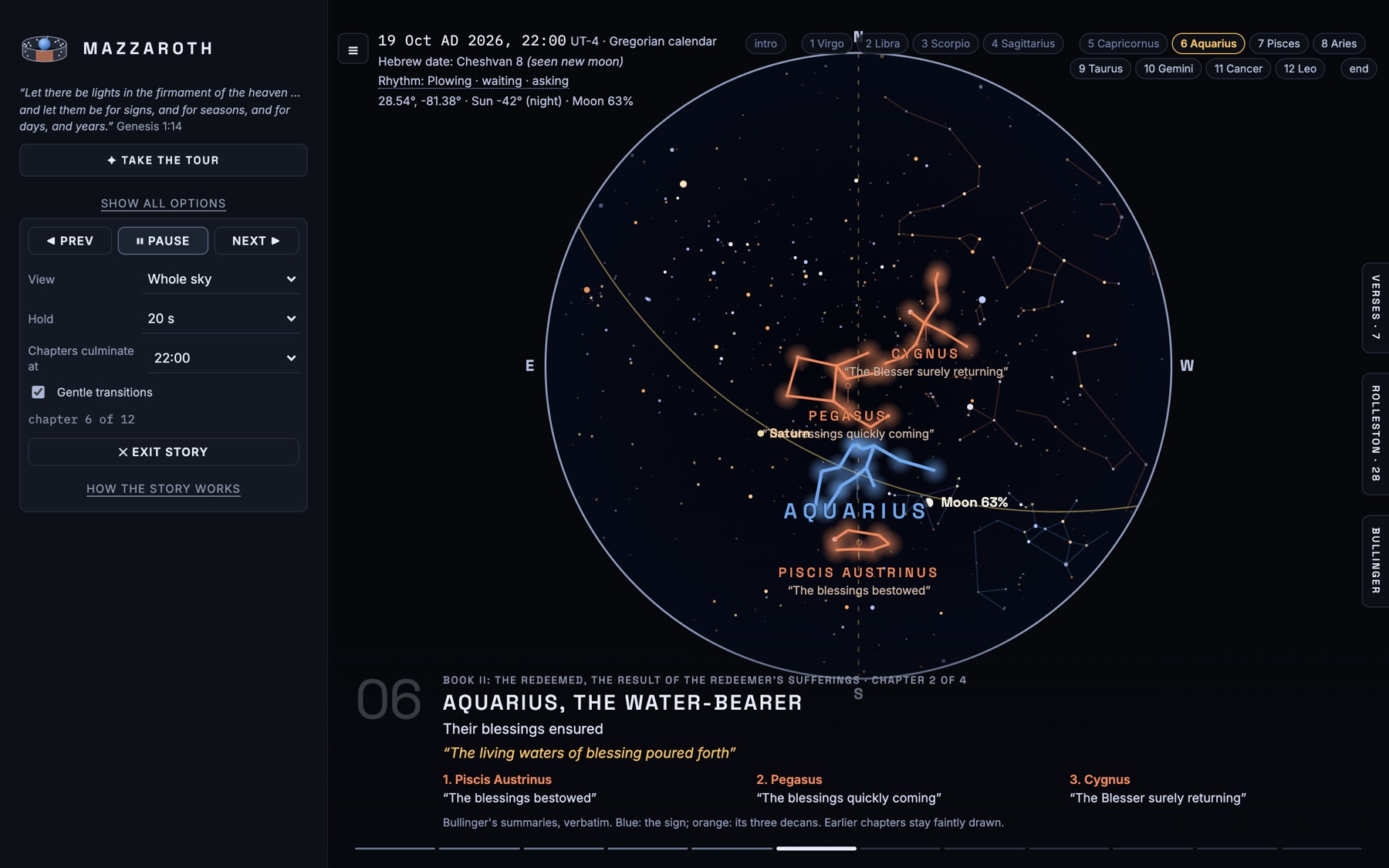
A guided tour of E. W. Bullinger's twelve chapters in the stars. Each sign crosses the sky in turn, so the story takes a year of nights. His own words appear under the figures, and the sign and its three decans are drawn in blue and orange.

It presents a nineteenth-century tradition. It does not claim to prove it.

Story mode at chapter 6, Aquarius the Water-bearer, with Piscis Austrinus, Pegasus and Cygnus as decans

The text beside the sky

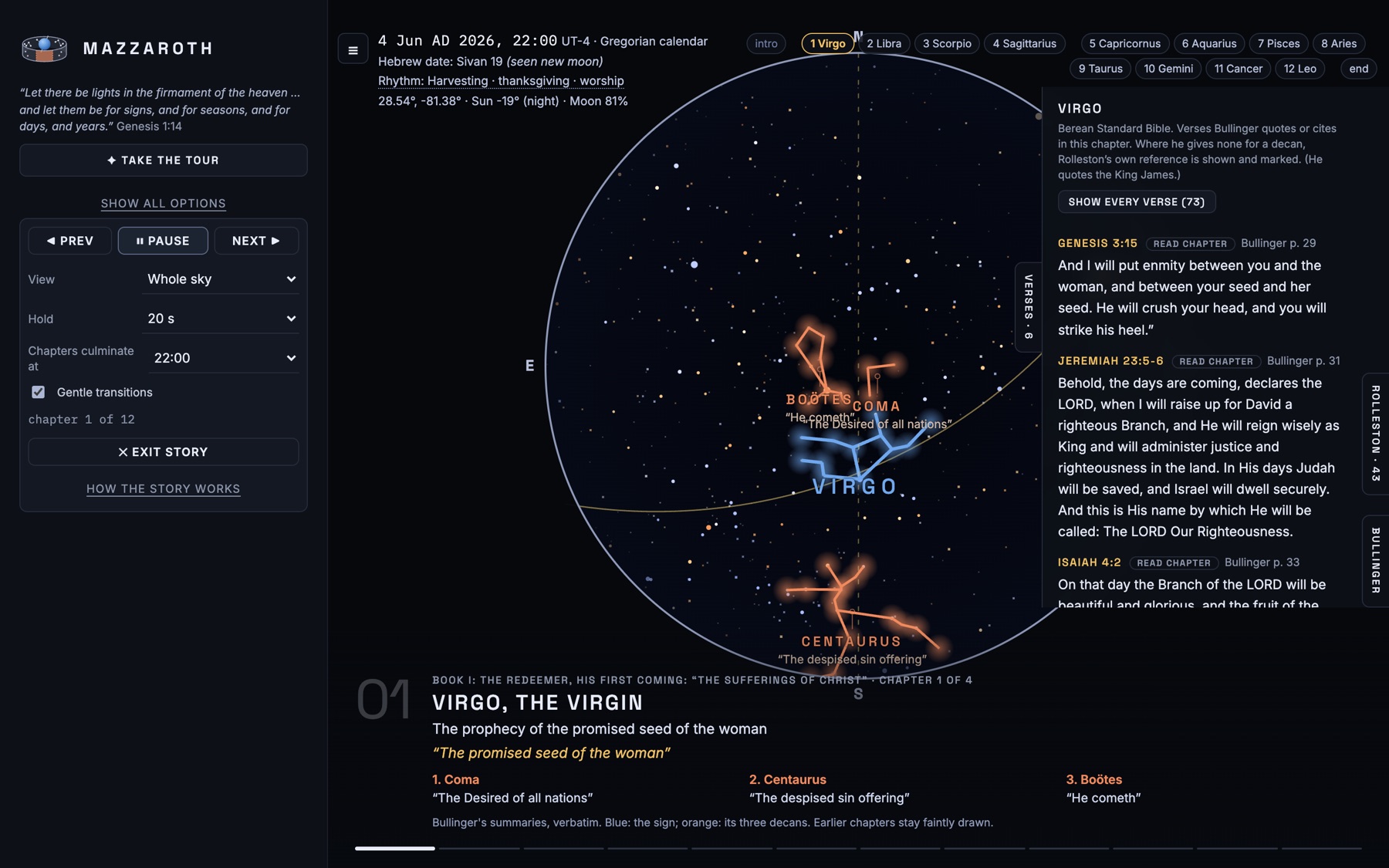
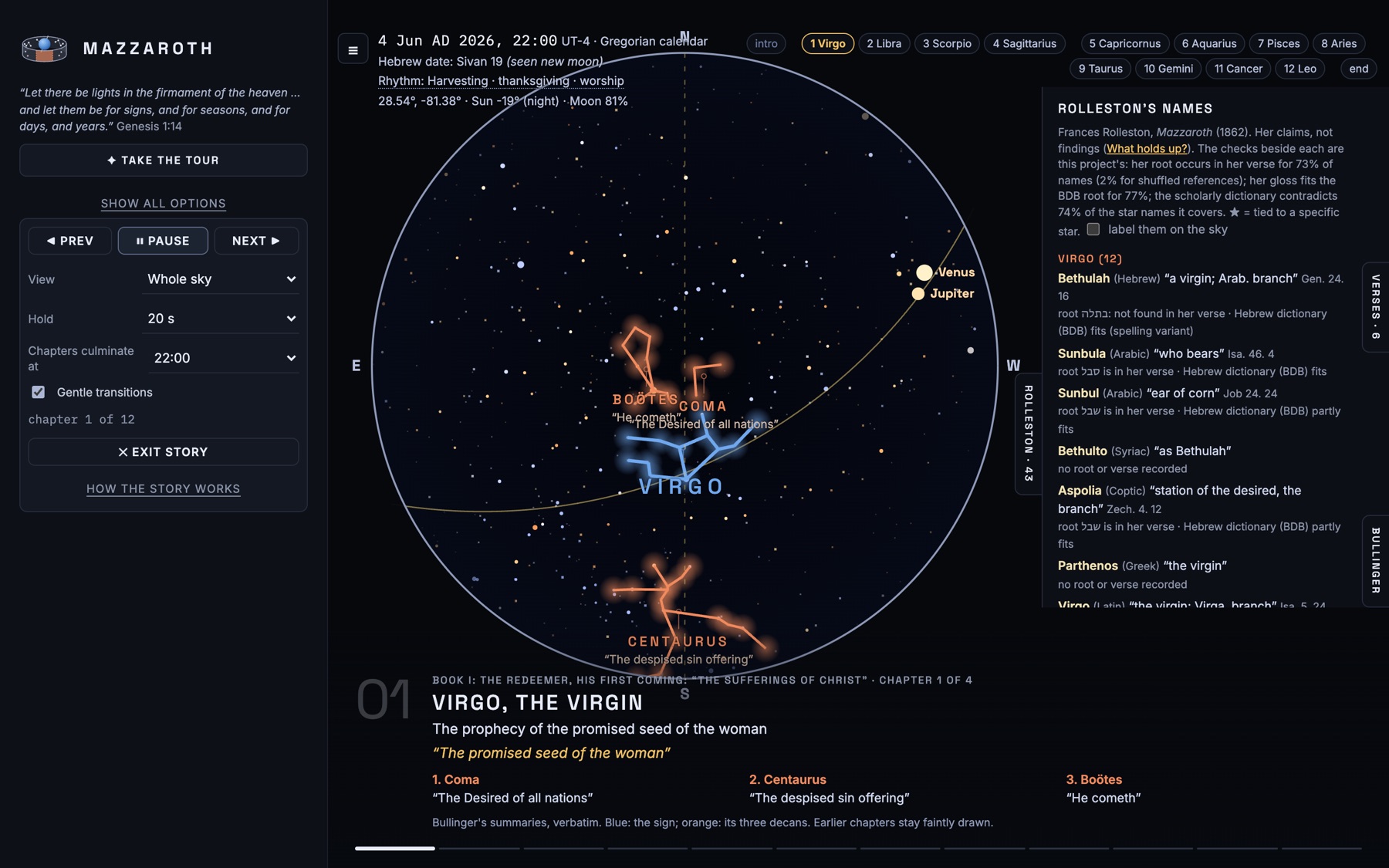
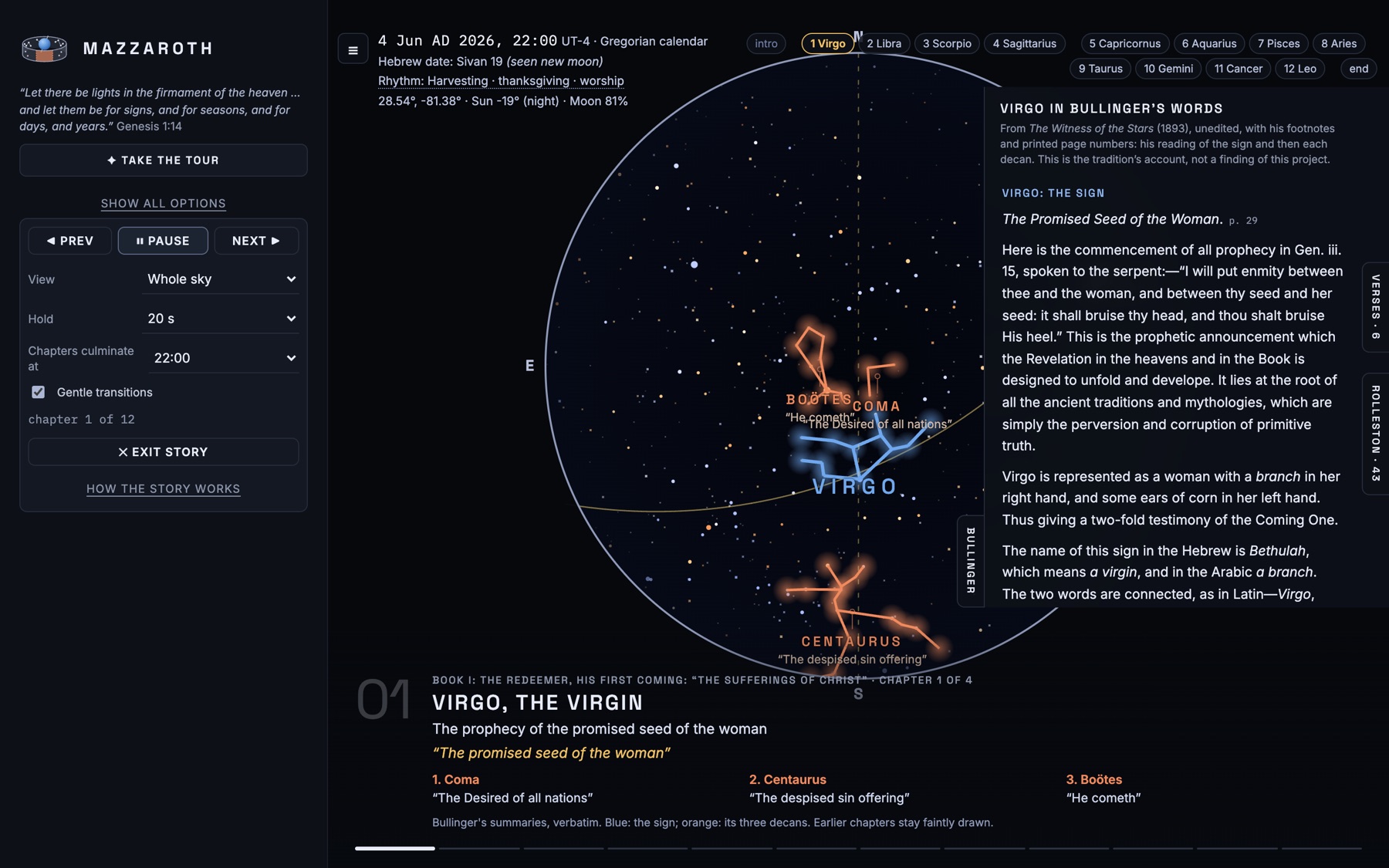
Open the side tabs to read alongside the sky. Every verse can open in a full chapter reader.

Verses. The Scripture each chapter points to, taken from Bullinger's own references, in the Berean Standard Bible or the King James Version.
Rolleston's names. Star names in Hebrew, Arabic, Coptic and Greek, with their roots and meanings, and a check against the verse they are tied to.
Bullinger. His summaries of each sign and decan, verbatim, with his page numbers.
Story chapter 1 with the Verses panel open showing Genesis 3:15 and other passages Rolleston's Names panel listing star names for Virgo with their languages and meanings Bullinger's words on Virgo, the Promised Seed of the Woman

Go to the night itself

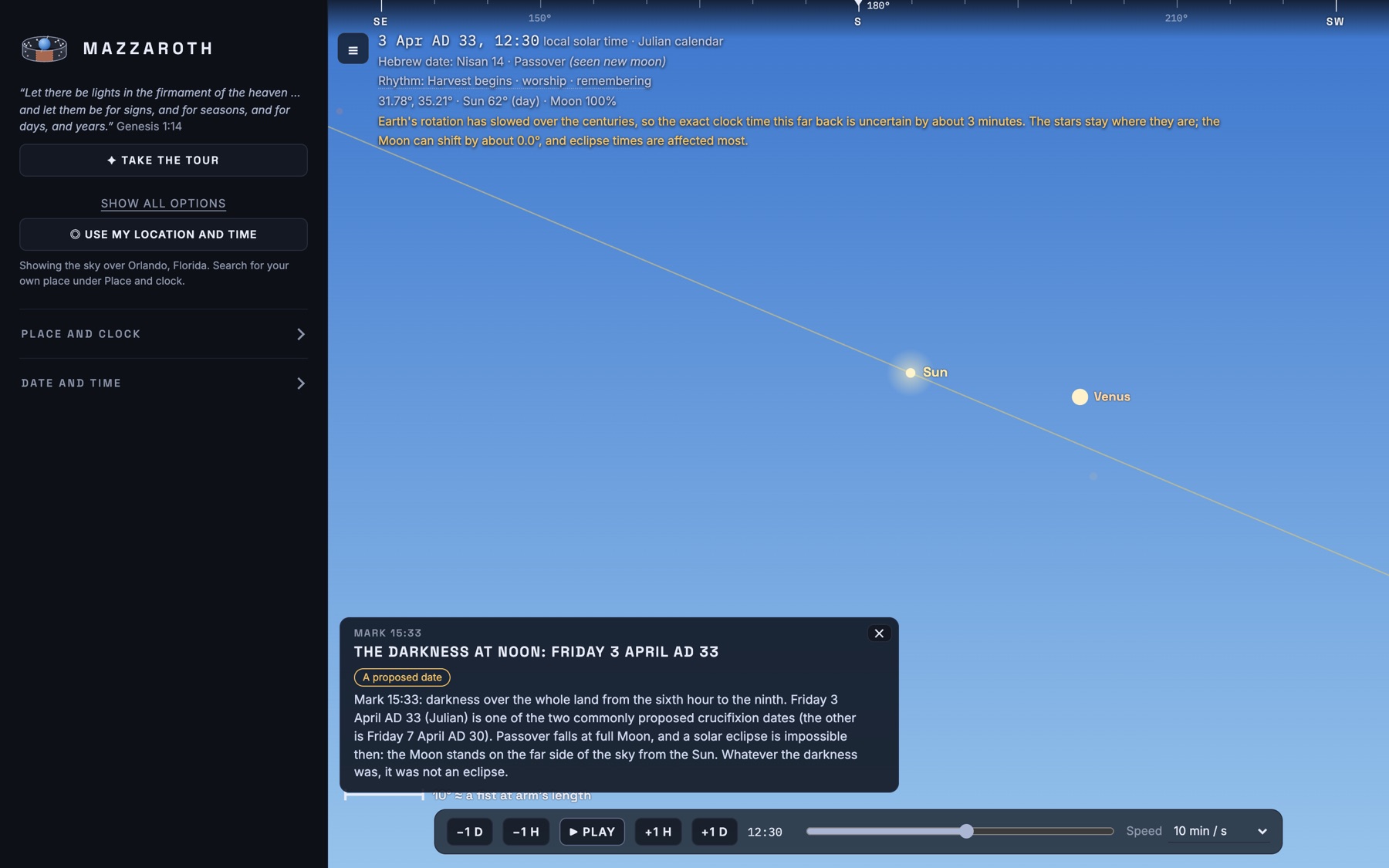
Jump to a scene and see what the sky showed: the Magi's conjunctions, Passover night, the Exodus, the darkness at noon on 3 April AD 33. The Hebrew date and the Moon's phase sit beside the clock, and each scene states its limits and what is assumed.

Dates are calculated, and ways of counting months can differ by a day or two.

The darkness at noon, Friday 3 April AD 33, with the Sun and Venus in a daytime sky

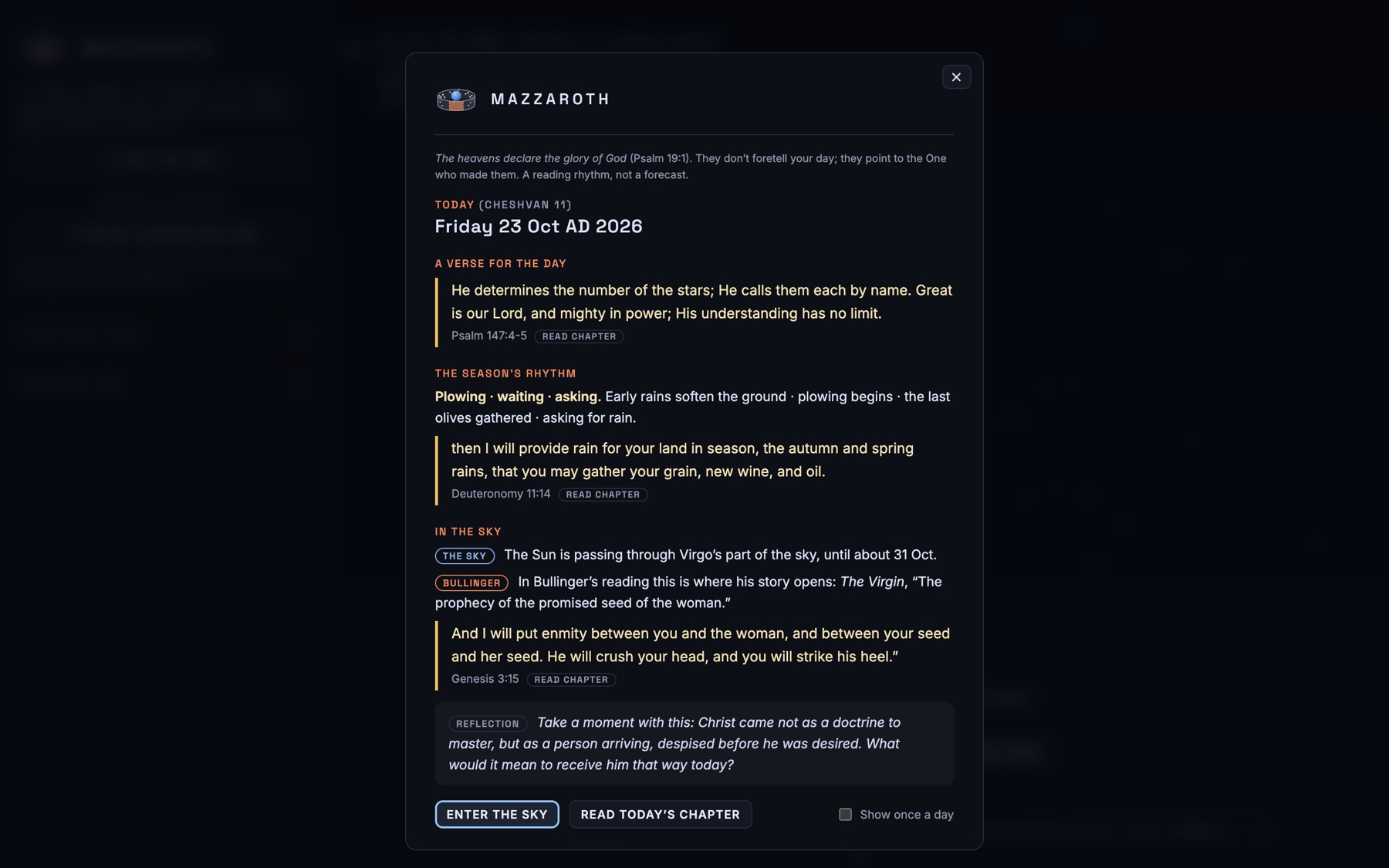
A short reading to start the day

The date, the Hebrew date, the season's rhythm, where the Sun is passing and a verse to sit with. A way to begin in wonder, not a forecast.

The Today card with a verse, the season's rhythm and what the sky is doing

Features

Back to 13,000 BCPlay time forward or in reverse, from minutes to a thousand years a second, or type a date.
Anywhere on EarthPick or type a place, or use your own location and time.
Sun, Moon and planetsCalculated from NASA JPL's DE441 ephemeris.
Real starsHipparcos positions with their motion and the precession of the equinoxes.
Julian and GregorianThe calendar changes at 1582, as it did, with local solar time.
Hebrew calendarObserved or calculated months, with feasts and their verses.
Smooth movementJumps glide the view and run the clock through the hours between, and names fade while the sky moves.
Trails and twinkleThe Moon and planets leave a trail at speed, and bright stars can shimmer.
True black nightDark blue or pure black, deepest on an OLED screen.
Remembers your choicesYour view, layers and speed come back next time, with a reset link.
Sky mapThe band of the signs on a map, with your view shaded.
TV modeLarger text and controls for a big screen.
Private and offlineNo account, no tracking, no internet connection.

Mazzaroth for Mac

Free · Version 0.1.0 · 6.4MB · macOS 11 or later · Apple Silicon (M1 and later)

⬇ Download for Mac

Prefer not to install anything? Use it in your browser.

Installing it

This app is not signed by Apple, so your Mac will stop it the first time. That is expected, and you only need to do this once:

  1. Open the downloaded file and drag Mazzaroth into your Applications folder.
  2. Open Mazzaroth from Applications. macOS will say it can't verify the app. Click Done (not "Move to Trash").
  3. Open System Settings → Privacy & Security, scroll down to the message about "Mazzaroth", and click Open Anyway. Enter your Mac password if asked.
  4. Open Mazzaroth again and click Open. From now on it opens normally.

On macOS 14 and earlier, you can instead right-click the app, choose Open, and confirm.

The first time you press Use my location and time, your Mac asks whether Mazzaroth may use your location. It uses it only to draw the sky over you, and nothing leaves your computer. If you say no, choose your place from the list instead.

Please read

Independent and unsigned. This is a personal project, offered free and as is, with no warranty. I haven't paid for Apple's developer program, which is why the extra steps above are needed. If you'd rather not bypass the warning, use the browser version.

What it is, and isn't. The stars are real, from a modern catalogue, moved to where they stood on the date you choose. The Sun, Moon and planets are calculated. The dates of the appointed times are calculated too, and the ways of counting months can differ by a day or two. It is a tool for looking and reflecting, not a calendar to keep and not a scientific finding. The reading of the constellations that it follows (Rolleston, Bullinger) is a nineteenth-century tradition that it presents, not proves.

Privacy. It collects nothing and sends nothing. It needs no account and makes no internet connections.

Where it runs. This download is for Apple Silicon (M1 and later) Macs. Windows and Linux versions are not available.

Check your download (optional)

To confirm the file is the one I published, run this in Terminal from your Downloads folder and compare it with the line below:

shasum -a 256 Mazzaroth-0.1.0-mac.dmg

SHA-256
5537eebb9006a3fb6672d8fb423d906ceba14f68531d7cae0e4b01b9c4464d99